

Every organisation retires IT equipment, yet few have a clear answer to what happens once a laptop leaves the desk. Devices end up in a storeroom, with a local recycler, or with a technician who wipes them when time allows. Each path carries a cost, whether that is lost resale value, unrecorded data risk or hours of IT time spent on work nobody planned for.
ITAD, short for IT asset disposition and often called IT asset disposal, is the controlled process for retiring that equipment. Done well, it gives IT and procurement teams a documented record of where every device went, proof that its data was removed, and a financial return on hardware that still has a working life ahead of it.
This guide explains what ITAD covers, the Australian obligations that shape it, and how to judge whether your current approach to asset disposal is doing its job.
What ITAD Covers, From Collection to Final Report
IT asset disposition covers everything that happens to a device between the day it is retired and the day it is resold, redeployed or recycled. The scope usually includes laptops, desktops, phones, tablets, servers and networking equipment, along with the storage media inside them.
A complete ITAD process typically runs through five stages:
- Collection and chain of custody: devices are picked up, counted against an asset list and tracked by serial number from that point on.
- Data sanitisation: every storage device is erased to a recognised standard, or physically destroyed where erasure is not possible.
- Grading and testing: each device is assessed for condition and function so its next use can be decided.
- Resale, redeployment or recycling: working devices go back into use, and anything beyond repair goes to a certified recycler.
- Reporting: the organisation receives records showing what was collected, how data was handled and where each asset ended up.
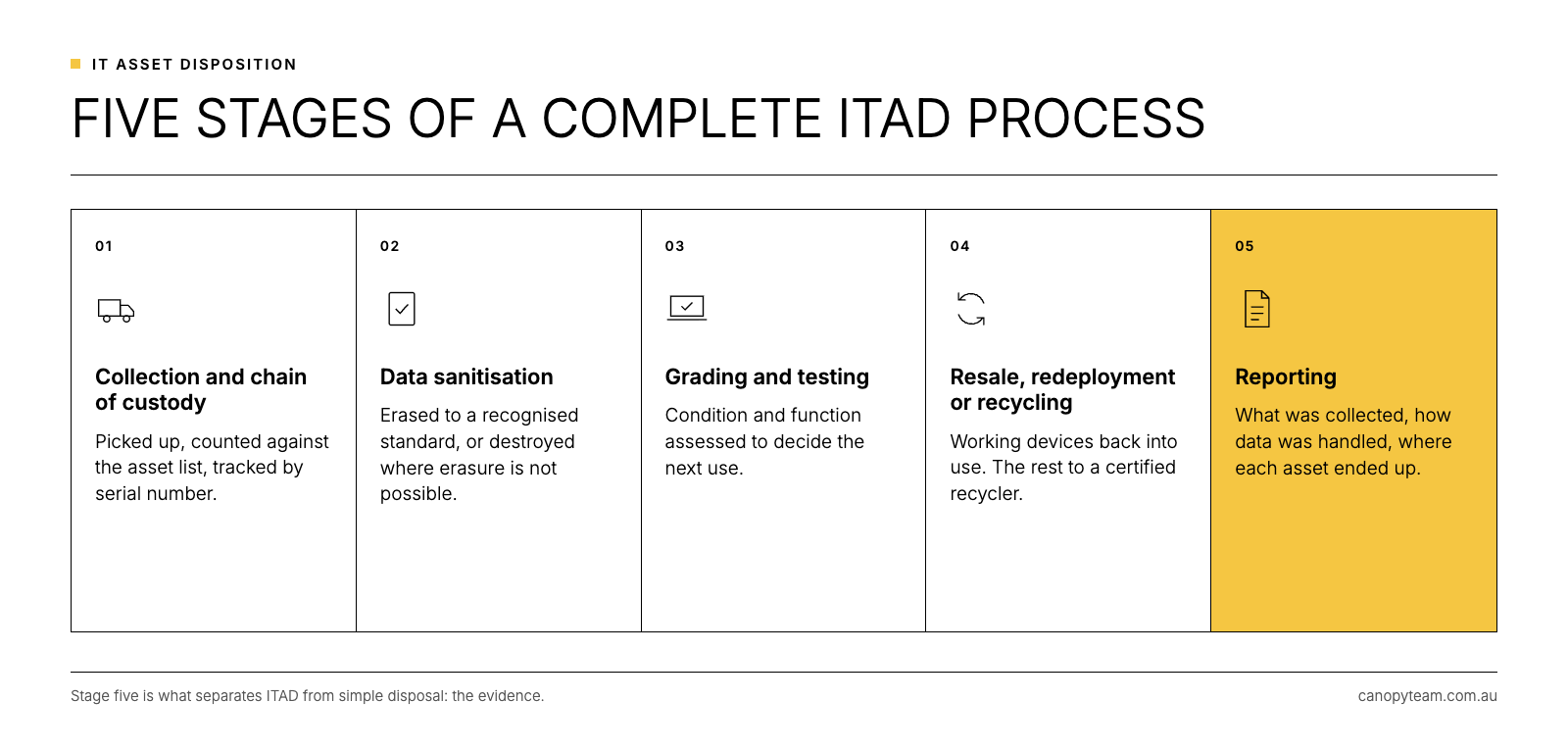
The difference between simple computer disposal and ITAD sits in that final step. Disposal gets equipment out of the building, while ITAD gives you the evidence to show it was handled properly.
Why Asset Disposal Is a Governance Question in Australia
Three sets of obligations make asset disposal more than a logistics task for Australian organisations.
The first is privacy. Under Australian Privacy Principle 11, organisations covered by the Privacy Act must take reasonable steps to destroy or de-identify personal information once it is no longer needed, and the OAIC's guidance makes clear that this includes sanitising hardware before disposal. A laptop with an unwiped drive holds personal information that has not been destroyed.
The second is environmental. Victoria has banned e-waste from landfill since 1 July 2019, and other states set their own rules for how electronic waste is handled. The National Television and Computer Recycling Scheme offers free drop-off points, although it is designed mainly for households and small businesses rather than managed fleet retirements with data obligations attached.
The third is financial. A retired laptop is still a business asset, and it often has resale value long after it has been fully written down for tax, a gap we explore in our guide to laptop depreciation and ATO effective life.
Standards to Look For When You Assess a Provider
Most credible ITAD providers in Australia work to a common set of standards. Knowing them makes it much easier to compare providers on substance rather than on price alone.
- NIST SP 800-88: the media sanitisation guideline used widely in Australia. NIST published Revision 2 in September 2025, placing more emphasis on organisation-wide sanitisation programs and updating the techniques for modern storage.
- AS/NZS 5377: the Australian and New Zealand standard for collecting, storing, transporting and treating end-of-life electrical and electronic equipment, including how data-bearing devices are handled.
- ISO/IEC 27001: if your organisation runs an information security management system, Annex A control 7.14 requires equipment containing storage media to be checked so that sensitive data and licensed software are removed or securely overwritten before disposal or re-use. Your own certification may shape what you ask of suppliers, so ask any provider which parts of its process and which partners sit inside its certification scope.
The practical test for any provider is whether they can give you a per-device record showing the method and standard used. Our article on data erasure vs data destruction explains what that record should contain.
Where IT Asset Disposal Programs Commonly Fall Short
Most gaps in disposal programs appear before a device ever reaches a provider. Laptops sit in cupboards for months after staff leave, and their resale value falls every quarter they wait. Apple devices arrive still tied to a former employee's account, which makes them very hard to resell; our guide to Activation Lock and MDM lock covers how to clear this before collection. Drives are wiped with a factory reset that leaves no audit trail, a risk we unpack in how to wipe a laptop for business.
The other common gap is ownership. When nobody is accountable for retired equipment, decisions get made case by case and the evidence trail breaks. A short, written IT asset disposal policy solves this by setting the standard, the approved providers and the records required, so the process holds up when people change roles.
How ITAD Fits Into Device Lifecycle Management
ITAD is the final stage of a device's life, and the decisions made at the start shape how smoothly it goes. A device that was asset-tagged at deployment, enrolled correctly in management tools and tracked while in use is far easier to recover, erase and resell than one that was set up in a hurry.
For that reason, more organisations now treat disposal as one part of device lifecycle management rather than a separate project run every few years. When the same partner handles deployment and recovery, the asset records match, lock and enrolment issues are caught early, and the value from retired devices can offset the cost of new ones. If you are weighing a straight buy-back arrangement against a broader program, our comparison of device buyback vs traditional ITAD sets out when each approach fits.
Frequently Asked Questions
What does ITAD stand for?
ITAD stands for IT asset disposition, also called IT asset disposal. It describes the secure, documented process for retiring IT equipment, from collection and data erasure through to resale, redeployment or recycling.
Is ITAD the same as e-waste recycling?
E-waste recycling is one possible outcome of ITAD. A full ITAD process also covers chain of custody, certified data erasure, grading and resale, so devices with remaining value are reused before anything is recycled.
How much does IT asset disposal cost?
Costs vary with volume, device type and location. For fleets of recent business devices, resale value can offset some or all of the processing cost, which is why timing and device condition matter so much.
Do smaller organisations need ITAD?
Any organisation that holds customer or staff data on its devices needs proof that the data has been removed before those devices leave its control. Smaller fleets may use a simpler arrangement, but the need for evidence is the same.
Choosing an ITAD Approach That Holds Up to Scrutiny
When you review your current approach or compare ITAD services, focus on these points:
- Evidence per device: confirm you receive an individual certificate of erasure for every unit, tied to its serial number.
- A named standard: ask which sanitisation standard is used and how each erasure is verified.
- Chain of custody: check how devices are tracked from your premises to their final outcome.
- Value return: understand how devices are graded and how resale proceeds come back to you.
- Certified recycling: confirm where anything not resold goes, and which standards that recycler works to, such as AS/NZS 5377.
- Lifecycle fit: consider whether the provider can also support deployment, so recovery is planned from the day a device goes out.
Canopy's Recover service handles secure collection, NIST 800-88 erasure with an individual certificate for every device we erase, grading, resale and full reporting. Since 2011, the team has processed more than 1.27 million devices for Australian businesses and managed service providers.
Find out what your retired devices are worth.
Use the form on this page to book a device recovery review with the Canopy team.