

Most organisations have rules for buying IT equipment. Far fewer have written rules for getting rid of it. Without them, disposal decisions are made case by case: one technician wipes a laptop one way, another does it differently, and a pallet of old devices goes to whichever recycler answers the phone.
An IT asset disposal policy fixes that by setting out how retired equipment is handled, who is responsible and what evidence has to be kept. It also gives auditors, clients and your own leadership team a clear answer when they ask what happens to company data at the end of a device's life.
This guide explains why an asset disposal policy matters, what it should cover, and includes a template your team can adapt.
Why Your Organisation Needs an IT Asset Disposal Policy
Three sets of obligations point to the same need.
The first is information security. For organisations certified to ISO/IEC 27001, Annex A control 7.14 requires that equipment containing storage media is checked so sensitive data and licensed software are removed or securely overwritten before disposal or re-use. An auditor will typically expect a documented process behind that control.
The second is privacy. The OAIC's guide to securing personal information sets out how organisations should destroy or de-identify personal information they no longer need, including information held on hardware.
The third is environmental. Victoria has banned e-waste from landfill since 1 July 2019, and organisations across the country face growing pressure to show that retired equipment is reused or recycled responsibly.
A written policy also protects value. When the process is clear, devices move out of storage faster and reach the resale market while they are still worth something, as we explain in laptop depreciation and real value.
What an Asset Disposal Policy Should Cover
A good policy is short enough to follow and specific enough to audit. At a minimum, it should answer these questions:
- Which assets does the policy apply to?
- Who can approve a disposal, and who carries it out?
- What standard must data sanitisation meet, and when is physical destruction required?
- Which providers are approved, and what must they supply?
- What happens to management enrolments and device locks?
- How is resale value recorded and returned?
- What records must be kept, and for how long?
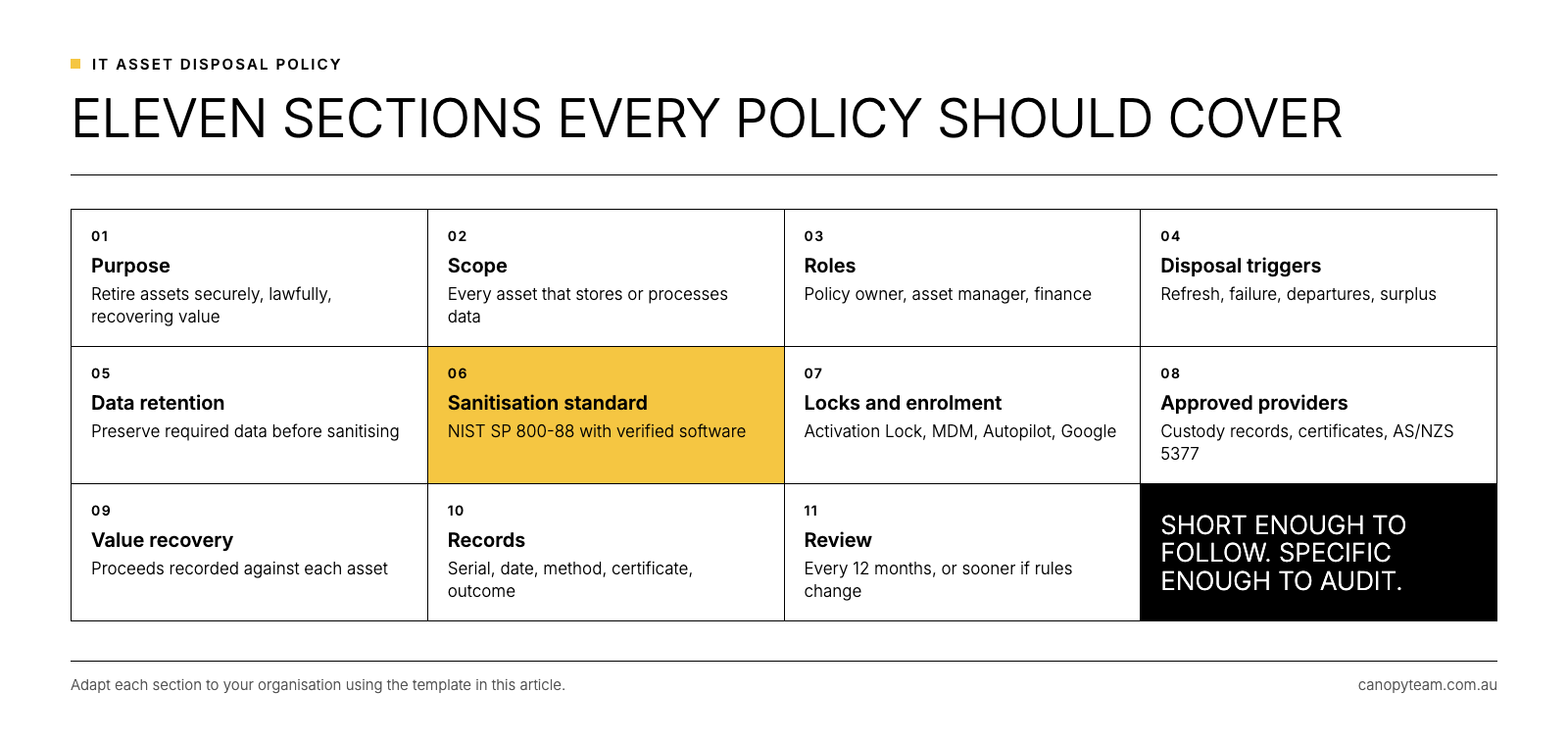
IT Asset Disposal Policy Template
Adapt the sections below to your organisation, replacing the text in square brackets with your own details.
1. Purpose. This policy sets out how [Organisation] retires IT assets securely, lawfully and in a way that recovers value where possible.
2. Scope. This policy applies to all IT assets owned or leased by [Organisation] that store or process data, including laptops, desktops, mobile phones, tablets, servers, storage devices and networking equipment, whether they are located on site or with staff working remotely.
3. Roles and responsibilities. [IT Operations Manager] owns this policy. [Asset Manager or MSP] maintains the asset register and arranges collection. [Finance] records disposal proceeds. Managers must notify IT when staff leave, in line with the IT offboarding checklist.
4. Disposal triggers. Assets are retired when they reach the end of the approved refresh cycle, fail beyond economical repair, are returned by departing staff or are no longer required.
5. Data retention. Before sanitisation, the asset owner confirms that any data required under [Organisation]'s records retention policy has been preserved.
6. Data sanitisation standard. All storage media must be sanitised to NIST SP 800-88 using verified erasure software before the asset leaves [Organisation]'s control. Physical destruction is used only where media has failed, where classification or contract requires it, or where the asset has no reuse value. See data erasure vs data destruction for the distinction.
7. Device locks and enrolment. Before release, IT must turn off Activation Lock, remove devices from mobile device management, deregister Windows devices from Autopilot and remove Google accounts from Android devices, as set out in our guide to Activation Lock and MDM lock.
8. Approved providers. Only providers listed in [Appendix A] may collect or process retired assets. Providers must supply chain of custody records, per-device certificates of erasure and evidence that non-reusable equipment is recycled in line with AS/NZS 5377.
9. Value recovery. Assets with resale value are sold through an approved provider, and proceeds are recorded against each asset for finance and tax purposes.
10. Records. For each asset, [Organisation] keeps the serial number, disposal date, sanitisation method, certificate, final outcome and any proceeds for [retention period].
11. Review. This policy is reviewed every [12 months], or sooner when standards or regulations change.
Frequently Asked Questions
What is an IT asset disposal policy?
It is a written policy setting out how an organisation retires IT equipment, including who approves disposal, the data sanitisation standard, the approved providers and the records kept for each asset.
Does ISO 27001 require an asset disposal policy?
ISO/IEC 27001 includes a control covering secure disposal or re-use of equipment, and auditors will typically expect documented procedures behind it. A disposal policy is the usual way to provide them.
How long should disposal records be kept?
Set a period that fits your records management obligations, audit requirements and client contracts, then apply it consistently. Many organisations align it with the retention period for their financial records.
Should the policy cover leased devices?
Leased devices usually go back to the lessor, but the data on them still needs to be sanitised and recorded before they leave your control, so they belong in the policy.
Putting Your IT Asset Disposal Policy Into Practice
A policy only works if the process behind it is easy to follow. Three steps help it stick:
- Link it to offboarding and refresh planning, so disposal is triggered automatically rather than when the storeroom runs out of space.
- Standardise the erasure method, so every device is handled the same way; our guide on how to wipe a laptop for business covers what that involves.
- Choose a provider who supplies the records the policy requires, so compliance does not depend on manual paperwork.
Our overview of what ITAD is and how it works explains the full process in more detail, and our practical guide to device lifecycle management shows how disposal connects to deployment and day-to-day fleet management.
Canopy's Recover service covers the collection, erasure and reporting steps in a policy like this one: devices scanned and tracked from collection, NIST 800-88 erasure with an individual certificate for every device we erase, grading, resale and full reporting.
Put your disposal policy into practice with one partner.
Use the form on this page to talk to the Canopy team about a recovery process that meets your policy requirements.