
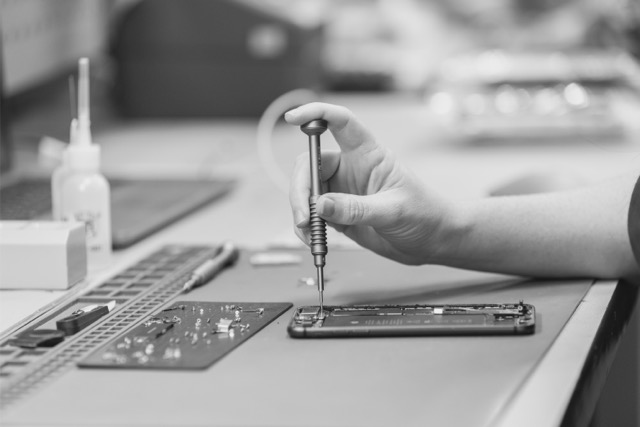
Business device lifecycle management is the coordinated process of deploying, supporting, refreshing, recovering and responsibly reusing or recycling company devices.
It replaces a collection of disconnected jobs with one accountable operating model. Instead of treating a laptop or phone as a purchase at the beginning and a disposal problem at the end, the organisation manages it as an asset throughout its useful life.
For IT teams and managed service providers, that means fewer manual handovers, clearer ownership, stronger data controls and a more reliable way to recover value from retired equipment.
What is device lifecycle management?
Device lifecycle management covers the practical and commercial steps a device moves through while it belongs to an organisation. Depending on the business, this may include laptops, desktops, smartphones, tablets and other employee hardware.
A useful lifecycle has five connected stages:
- Planning and procurement: deciding what equipment is required, when it will be replaced and how it will be funded.
- Deployment: receiving, recording, configuring and distributing devices to users or locations.
- Active use: supporting employees, maintaining asset records and managing repairs, replacements and changes of ownership.
- Refresh and return: identifying devices due for replacement and coordinating their return from employees, offices or customer sites.
- Recovery and next life: securing returned equipment, erasing data, testing and grading each asset, then reselling, reusing, donating or recycling it through an appropriate channel.
The value comes from connecting these stages. A device that cannot be traced back from an employee is difficult to recover. A device recovered too late may lose resale value. A device returned without a defined data-erasure process can create avoidable risk.

Why fragmented device processes become expensive
Many organisations have capable IT teams but still manage devices through inboxes, spreadsheets, storage cupboards and several different suppliers. Each individual task may appear manageable. The cost becomes visible when the organisation considers the full process.
Common signs of a fragmented lifecycle include:
- New starter devices arriving late or requiring repeated manual setup.
- Unclear ownership when an employee changes role or leaves.
- Retired laptops and phones accumulating in storage.
- Asset registers that do not match the equipment physically on hand.
- Multiple logistics, repair, erasure and disposal vendors with separate reports.
- Limited evidence showing what happened to each recovered device.
- Resale value being lost because usable equipment is held for too long.
These problems create work for IT, procurement, finance and sustainability teams. They can also make it harder to answer basic governance questions, such as who handled a device, whether its data was sanitised and whether it was reused or recycled.
The four outcomes a good lifecycle program should deliver
1. Simpler operations
A defined lifecycle gives people a repeatable process to follow. The organisation knows how devices are requested, prepared, assigned, returned and processed. Clear triggers, owners and service levels reduce the need for IT staff to chase every movement manually.
For MSPs, a consistent operating model also makes it easier to support multiple customer environments without building a different hardware workflow for every account.
2. Better security and accountability
Retired devices may still contain business information, credentials or personal information. A factory reset or an employee's assurance that files were deleted is not the same as an auditable sanitisation process.
The Office of the Australian Information Commissioner explains that reasonable steps for electronic personal information can include hardware sanitisation, access controls, logs, audit trails and verification that destruction has occurred. The appropriate controls depend on the information, the organisation and the risk involved.
A lifecycle program should therefore define:
- Chain of custody from collection through processing.
- The sanitisation or destruction method used for each device type.
- Evidence that the process completed successfully.
- Exception handling for damaged, locked or inaccessible equipment.
- Approval rules for reuse, resale, donation and recycling.
3. Stronger commercial recovery
Retired technology is not automatically waste. Working devices may retain value, particularly when they are recovered promptly, unlocked and supplied with accurate asset information.
The best financial outcome is not always the highest headline quote. Organisations should assess the complete commercial model, including processing fees, logistics, grading criteria, rejected assets, payment timing and the reporting supplied after settlement.
A transparent program should show which devices were received, their condition, how value was assessed, which costs were applied and the amount returned to the organisation or its nominated charity.
4. More responsible next-life decisions
Reuse can extend the useful life of suitable equipment. Recycling remains important for devices that cannot be securely or economically reused.
The Australian Government describes e-stewardship as managing electronic products across their lifecycle so that waste is reduced and valuable materials can be recovered and reused. For an organisation, that means having a documented decision path rather than sending every device to the same destination.
What a practical lifecycle workflow looks like
A workable program does not need to begin with a large transformation project. Start with the stages creating the most operational burden or risk.
Step 1: Define scope
List the device categories, locations, employee groups and business units included. Record whether equipment is owned, leased or managed on behalf of a customer.
Step 2: Set ownership and triggers
Choose who initiates deployment, return and recovery activities. Typical triggers include a new starter, employee exit, lease return, scheduled refresh, damaged device or office closure.
Step 3: Standardise asset information
Agree on the minimum information that follows every device. This might include asset ID, serial number, model, assigned user, ownership type, location and refresh date.
Step 4: Design secure logistics
Document how equipment will be packed, collected, received and reconciled. The process should make missing devices and unexpected quantities visible quickly.
Step 5: Define processing rules
Set the required data-erasure standard, grading method and decision criteria for reuse, resale, donation or recycling. Include an exception process for equipment that cannot be accessed or sanitised normally.
Step 6: Agree on reporting
Decide what IT, finance, procurement and sustainability teams need to see. Useful outputs can include asset-level status, erasure evidence, grading results, value recovered, destination and sustainability information.
Step 7: Review performance
Track a small set of operational measures, such as deployment turnaround time, return rate, devices awaiting recovery, processing time, exception rate and value recovered. Measures should help the team improve the process, not create another reporting burden.
Questions to ask a device lifecycle partner
Before selecting a provider, ask:
- Which stages of the lifecycle do you perform directly?
- How do you manage chain of custody and reconcile collected assets?
- What happens when a device is locked, damaged or cannot be sanitised?
- What evidence will we receive for data erasure or destruction
- How are devices graded and valued?
- Which fees can affect the final settlement?
- How do you decide between reuse and recycling?
- What asset-level, financial and sustainability reports are included?
- Can your process support multiple offices, remote employees or MSP customer sites?
- Who owns issues and exceptions from collection through settlement?
Clear answers matter more than technical jargon. The provider should be able to describe the workflow in plain language and show how each device remains accountable.
How Canopy supports the device lifecycle
Canopy helps IT teams and MSPs simplify two of the most operationally demanding stages of the company-device lifecycle: deployment and recovery.
Canopy Deploy supports the structured preparation and rollout of company hardware. Canopy Recover coordinates collection, secure processing, grading, responsible next-life decisions, reporting and value recovery for retired equipment.
Together, these services give organisations one practical partner for moving devices into service and managing what happens when those devices return.
If company devices are consuming too much internal time, sitting unused or moving between disconnected suppliers, talk to Canopy about a simpler lifecycle process.